Turn your app idea into a real iPhone app
Describe your app in a chat. Tapwah builds it and runs it on a live iPhone screen in your browser, so you can tap through it as it takes shape. No Mac needed: it works from a Windows PC, and you won’t write a line of code.
Or start from one of these:
YouA habit tracker with a streak for each habit and a big check button for today.
TapwahYour habit tracker is built and open on the phone. Tap a round button to mark a habit done today.
Screen recording: a habit tracker app on an iPhone screen. Three habits get checked off one by one, and the ring at the top fills to 3 of 3.
You don’t need a Mac
Apple apps are normally built on a Mac. With Tapwah you don’t need one.
Making an iPhone app usually means buying a Mac and installing Apple’s developer software, which only runs there. Tapwah keeps the Macs on our side. You open Tapwah in a browser on the computer you already have, whether that’s a Windows laptop or a Mac, and build from there.
What you need: an up-to-date browser such as Chrome or Edge, an internet connection and an email address to sign up.
From idea to an app you can tap
You describe it, Tapwah writes the code
Say what the app should do, the way you’d explain it to a friend. Tapwah writes the code, builds the app and works through its own build errors. You decide what it does and how it looks.
A native iPhone app
Tapwah builds with Apple’s own toolkit for iPhone apps, the same one used for apps on the App Store. Lists, buttons and screens behave the way iPhone owners expect, because it is an iPhone app.
With you the whole way
Chat to build it and try it on a live iPhone screen as it builds. When it’s ready, we’ll help you publish it to the App Store. Coming soon
How it works
Four steps, and you can stay on the second and third for as long as you like.
Describe it
Type what you want in plain words. “A sign-up sheet for my book club” is enough to start.
Watch it build, then try it
Tapwah writes the app and opens it on a live iPhone screen next to the chat. In our tests, small starter apps were running within about a minute.
Change it by asking
Ask for a new screen, a different color or a button that does something else. The phone shows each change once it’s built.
Publish to the App Store Coming soon
We’ll guide you through Apple’s steps. This one needs an Apple Developer account in your name.
The usual way, and the Tapwah way
AI coding tools write app code quickly now. The setup around the code is still yours to do, and it starts with buying a Mac.
The usual way
- Buy a MacThe Mac mini starts at $899, before a screen and keyboard.
- Install Apple’s developer software and learn your way around itXcode is free, Mac only and a 3.1 GB download.
- Pay for an AI coding assistantIndividual plans run from $8 to $500 a month.
- Learn enough Swift to read the code and fix build errors
- Set up test devices, certificates and provisioning profiles
- Join the Apple Developer Program$99 a year.
- Prepare the App Store listing: screenshots, privacy details and review
With Tapwah
- Open Tapwah in a browser, on any computer
- Say what you want in the chat
- Watch it build and tap through it on a live iPhone screen
- Change anything by asking
- Get guided through the App Store stepsComing soon.
One step stays the same either way. To put an app on the App Store, Apple needs a developer account in your own name, which costs $99 a year. You don’t need it to build and try your app in Tapwah, and we’ll help you set it up when you’re ready.
Read the full breakdown of what it takes to build an iPhone app (prices checked October 2026)
Ideas to start from
We built each of these in Tapwah from the one-message prompt shown under it. Pick one to start from, then make it yours.
-
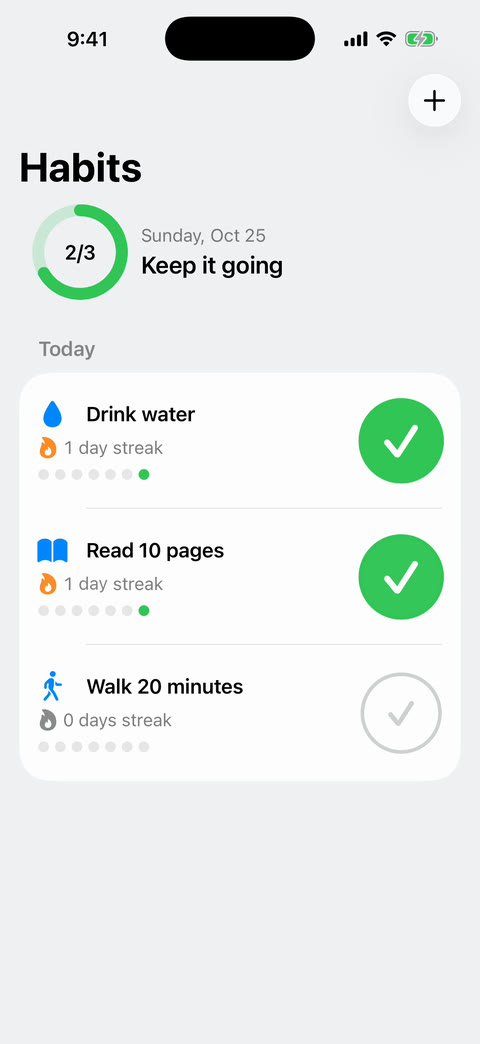
Habit tracker
Start from thisA habit tracker with a streak for each habit and a big check button for today. Start it with three example habits: Drink water, Read 10 pages, Walk 20 minutes.
-
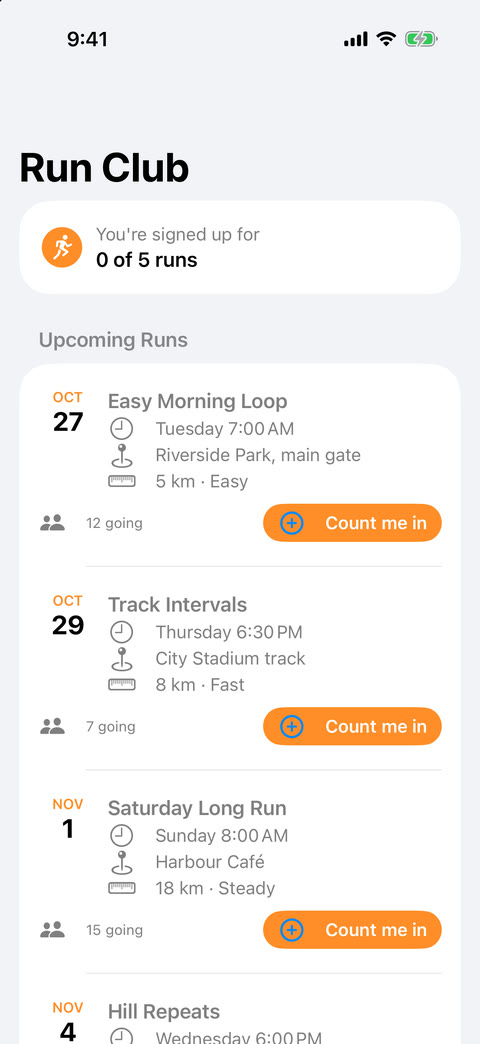
Running club schedule
Start from thisA schedule for my running club: upcoming runs with the date, meeting place and distance, and a button to say I'm coming. Add five example runs.
-
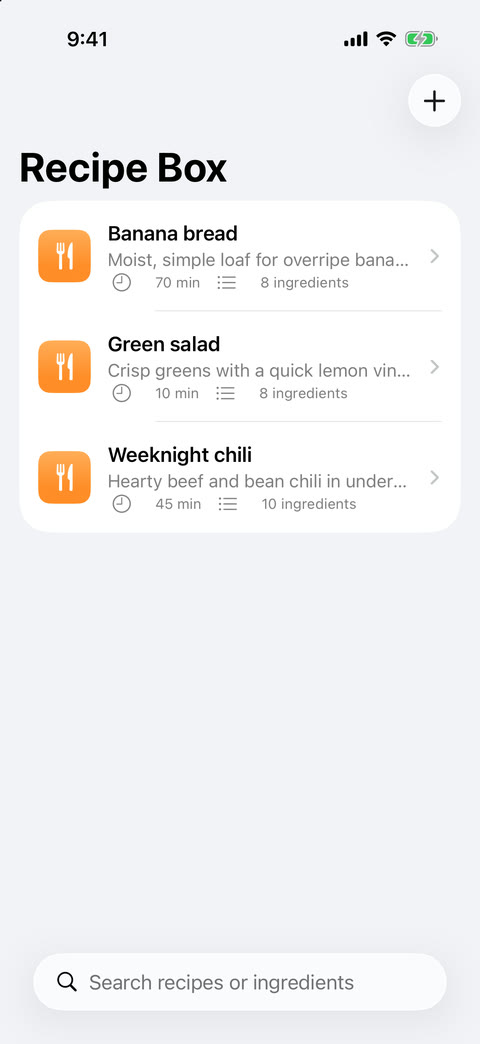
Recipe box
Start from thisA recipe box where I can save recipes with ingredients and steps. Add three example recipes: Banana bread, Weeknight chili, Green salad.
-
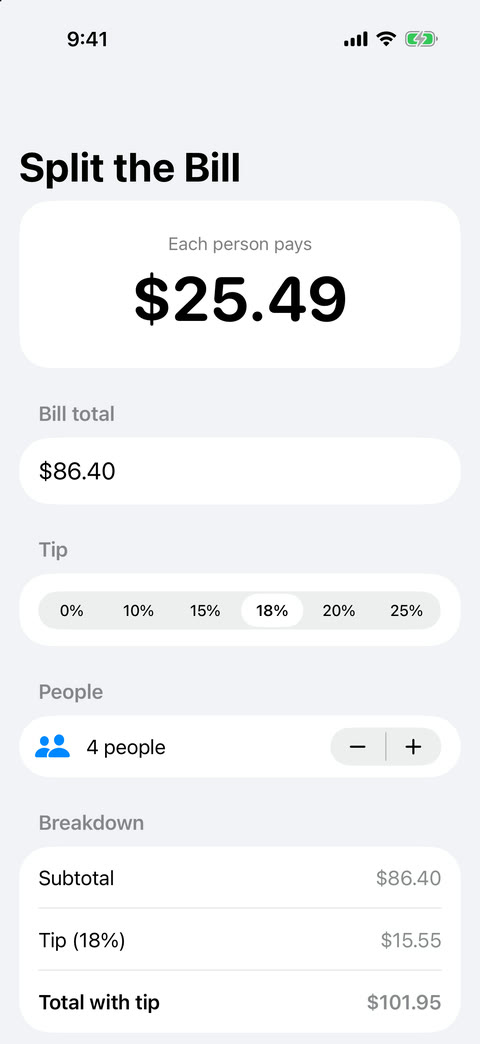
Bill splitter
Start from thisA bill splitter: enter the total, pick a tip and how many people, and see what each person pays. Start with a total of 86.40, an 18% tip and 4 people.
Free to start
Every account gets 60 minutes of building a day and $3 of AI work, reset at midnight UTC.
In our tests, a small starter app used between $0.09 and $0.19 of AI work, so a day’s allowance covers a first version and many rounds of changes. The 60 minutes count only while your Tapwah page is open.
A Pro plan with 4 hours of building a day is coming soon.
Questions people ask first
Do I need a Mac?
No. iPhone apps are normally built on a Mac with Apple’s developer software. Tapwah runs that part on Macs we operate, and you use it from a web browser on Windows or a Mac, in an up-to-date browser such as Chrome or Edge.
Do I need to know how to code?
No. You describe what you want in a chat and Tapwah writes the code. You can ask it to change anything, in plain words.
Can I put my app on the App Store?
That’s the plan, and we’ll guide you through it. Publishing help is coming soon. Apple requires an Apple Developer Program membership in your own name to publish ($99 a year). You don’t need one to build and try your app in Tapwah.
Is it free?
Yes, to start. Every account gets 60 minutes of building a day and $3 of AI work, reset at midnight UTC. A Pro plan with more time is coming soon.
Have an app idea? Start building it today.
Free to start, with 60 minutes of building a day. All you need to sign up is an email address.
Start building, free